Desktop AI research assistant with local file and Microsoft 365 access
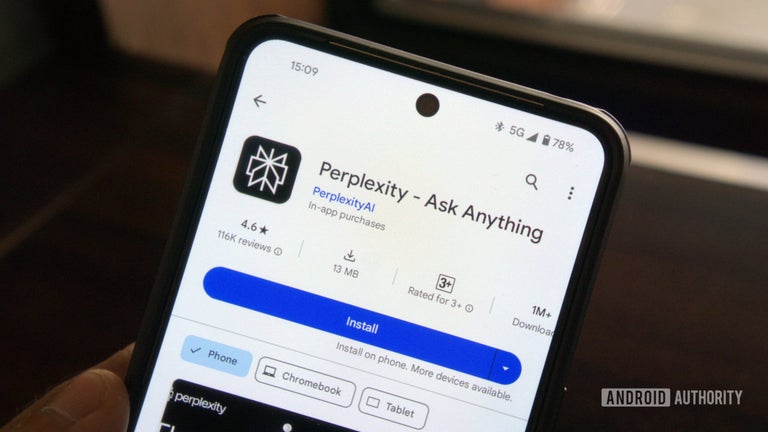
Experience Perplexity, by Perplexity AI Inc., as a desktop answer engine that replaces link lists with conversational, citation-focused responses. The app synthesizes web content into coherent, source-backed answers while maintaining conversational context for follow-ups and refinement. It supports guided multi-step research, an always-on desktop agent, and a thread-based archive for saved work. Researchers, students, analysts, and enterprise users gain a direct way to gather and verify complex information on PC.
It routes subtasks across many specialized models for focused reasoning
Perplexity distributes query work across more than twenty specialized AI models in parallel, choosing the best model for each subtask. That multi-model orchestration supports complex, multi-step exploration and gives advanced users control over reasoning behavior. Account-gated tiers let people select leading engines such as GPT-4o and Claude 3, which changes how the app synthesizes and cites web material depending on the chosen engine.
The Windows agent connects desktop documents directly into research threads
The Personal Computer agent runs as an always-on desktop assistant that can access local documents and a user's Microsoft 365 apps, including Word, Excel, PowerPoint, Outlook, and Teams. In practical terms the agent can pull local data into an active thread and push results back into a document or spreadsheet, cutting the repeated copy-paste steps users reported when moving web findings into desktop workflows.
Inline citations plus live web grounding improve traceability for answers
The app attaches inline citations and direct links to original sources for claims, which makes provenance explicit during research. Real-time web grounding ensures answers reflect current internet content rather than a static training snapshot. Voice-to-text input is supported, enabling hands-free queries. These elements increase verifiability, while still requiring users to evaluate the credibility of linked sources within their own process.
Native distribution and an archive support repeatable, team-ready projects
The app is available as a native Windows application through the Microsoft Store and the developer's site, and it lists compatibility with current desktop Windows releases. Perplexity includes a Library for saving and organizing past research threads, which helps iterative projects and handoffs between collaborators. User reception highlights the transparency and reduced friction this setup brings to desktop research workflows.
Perplexity serves evidence-driven desktop research, with one access trade-off
Perplexity is a capable option for researchers and professionals who need cited, conversational answers and PC-level automation. One trade-off is that certain advanced model choices and deeper integrations sit behind account-gated tiers, which can limit immediate access to specific engines or capabilities. On balance, the app performs reliably for evidence-based desktop research and for workflows that require moving web-sourced material into local documents.